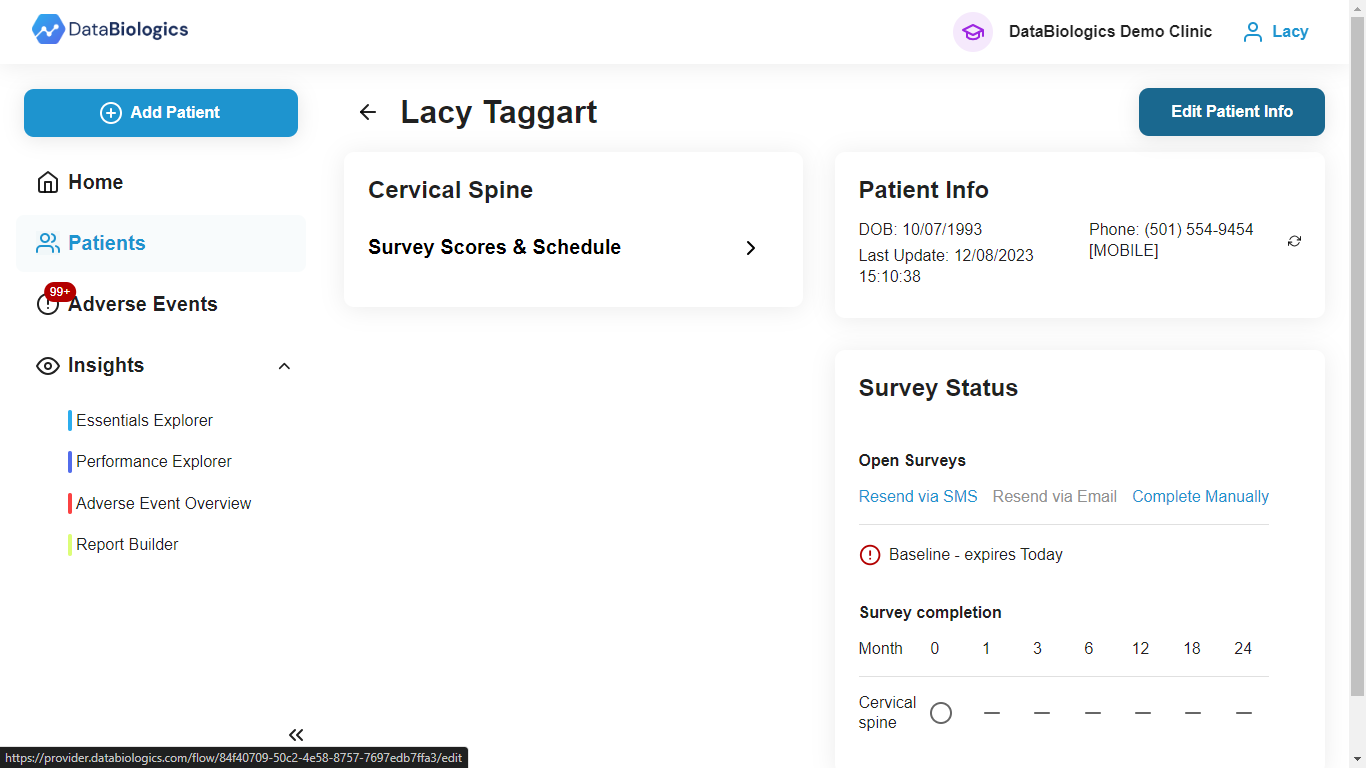
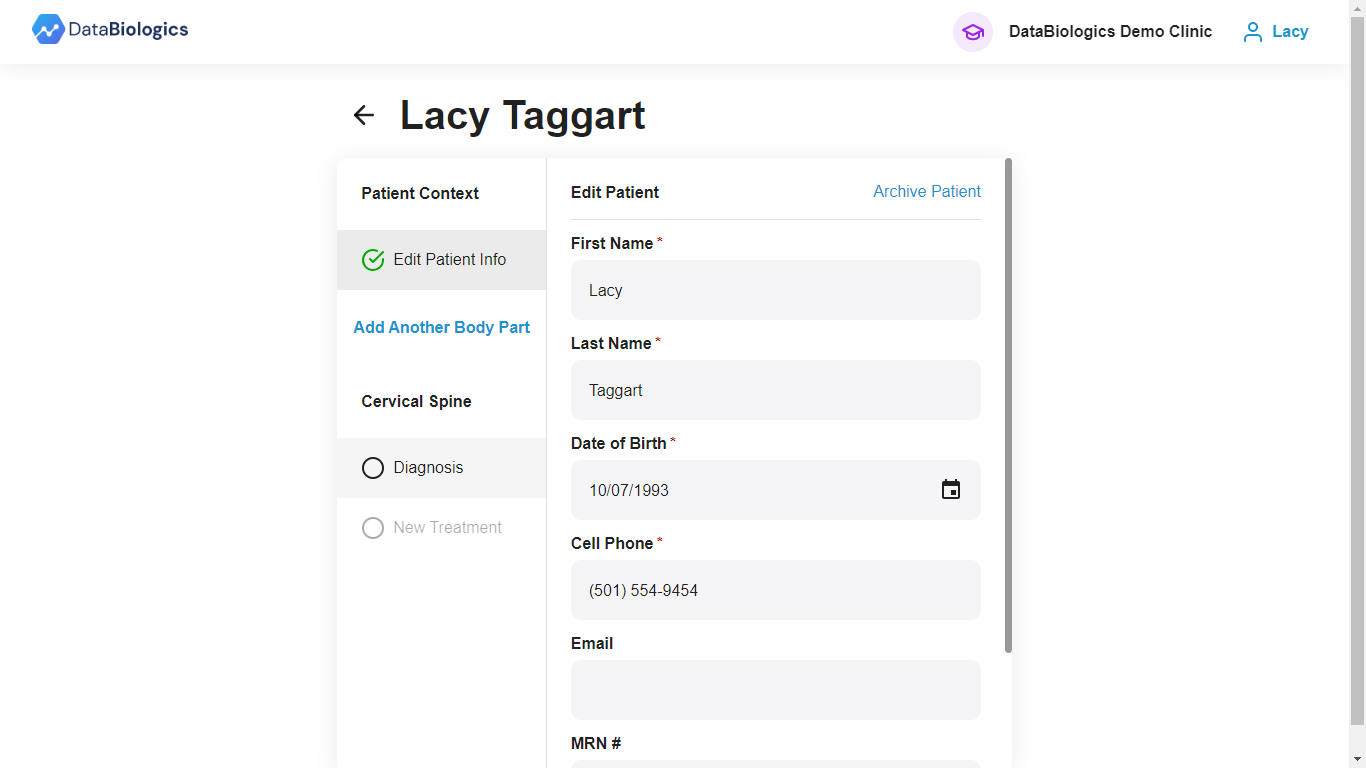
- Find your patient and click into their chart. Click Edit Patient Info in the top right corner.
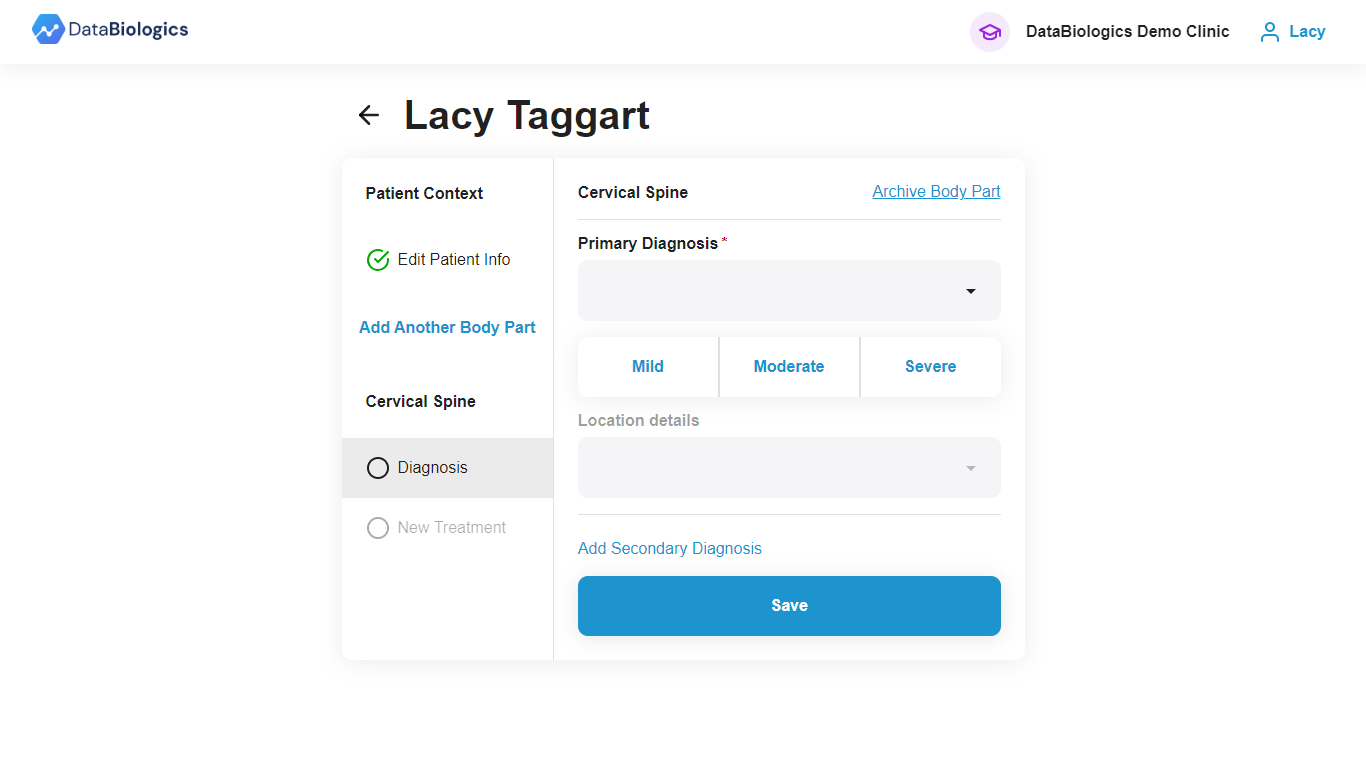
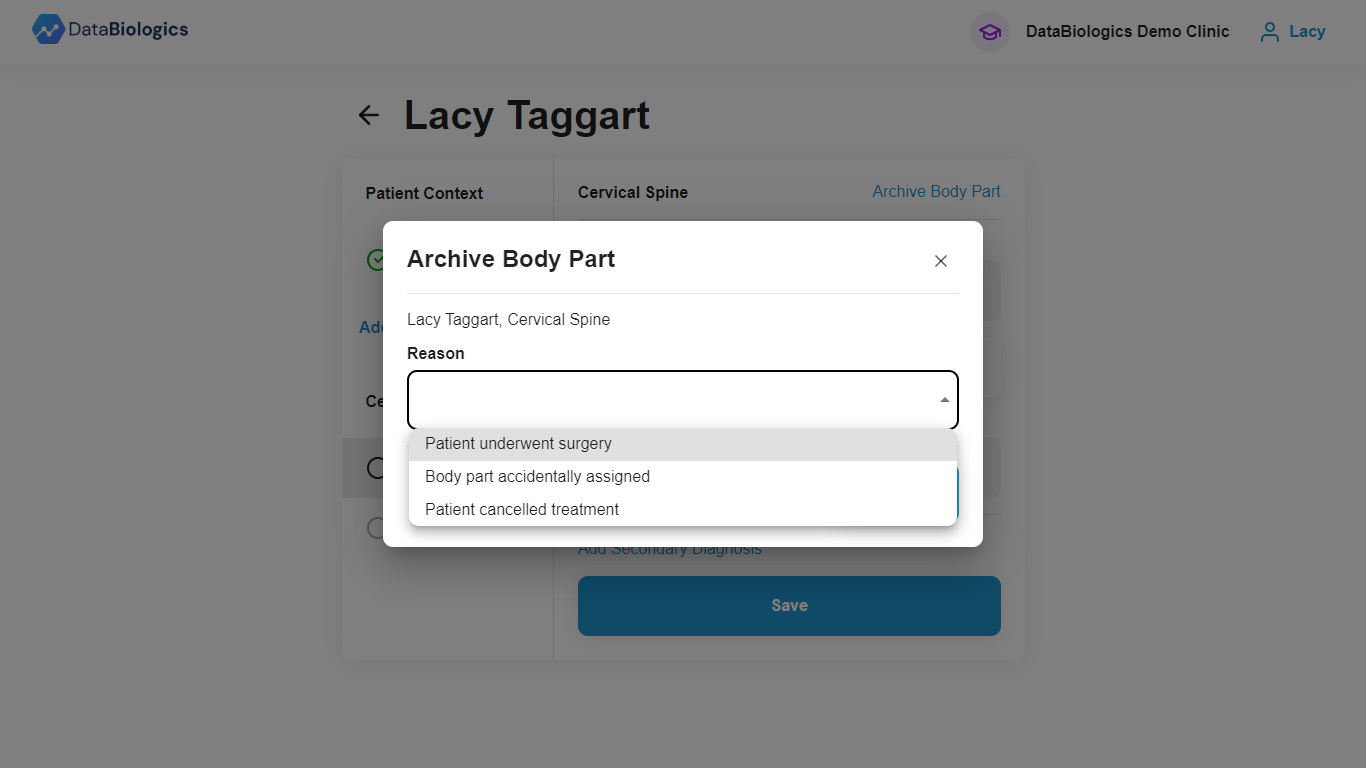
4. Select the reason for archiving and then hit Archive to finish.
![DB_Logo_Primary_Blue-Aug-08-2024-03-35-24-5725-PM.png]](https://knowledgebase.databiologics.com/hs-fs/hubfs/DB_Logo_Primary_Blue-Aug-08-2024-03-35-24-5725-PM.png?height=40&name=DB_Logo_Primary_Blue-Aug-08-2024-03-35-24-5725-PM.png)
4. Select the reason for archiving and then hit Archive to finish.