---
title: "Entering a Diagnosis: Hip Osteoarthritis"
description: 3. Select the severity of the diagnosis (Mild, Moderate, Severe) 4. Select the “Location Details” dropdown to select Hip Joint. (If you would like to delete the location, click the grey X) 5. You c
---
[Skip to content](https://knowledgebase.databiologics.com/entering-a-diagnosis-hip-osteoarthritis#main-content)
English
Show submenu for translations
![DB\_Logo\_Primary\_Blue-Aug-08-2024-03-35-24-5725-PM.png\]](https://knowledgebase.databiologics.com/hs-fs/hubfs/DB_Logo_Primary_Blue-Aug-08-2024-03-35-24-5725-PM.png?height=40&name=DB_Logo_Primary_Blue-Aug-08-2024-03-35-24-5725-PM.png)
Open main navigation
Close main navigation
- English
Show submenu for translations
- Go to databiologics.com
Go to databiologics.com
Hello. How can we help you?
- There are no suggestions because the search field is empty.
1. [DB Academy](https://knowledgebase.databiologics.com/?hsLang=en)
2. [Data Collection](https://knowledgebase.databiologics.com/data-collection?hsLang=en)
3. [Entering in Diagnosis](https://knowledgebase.databiologics.com/data-collection?hsLang=en#entering-in-diagnosis)
# Entering a Diagnosis: Hip Osteoarthritis
**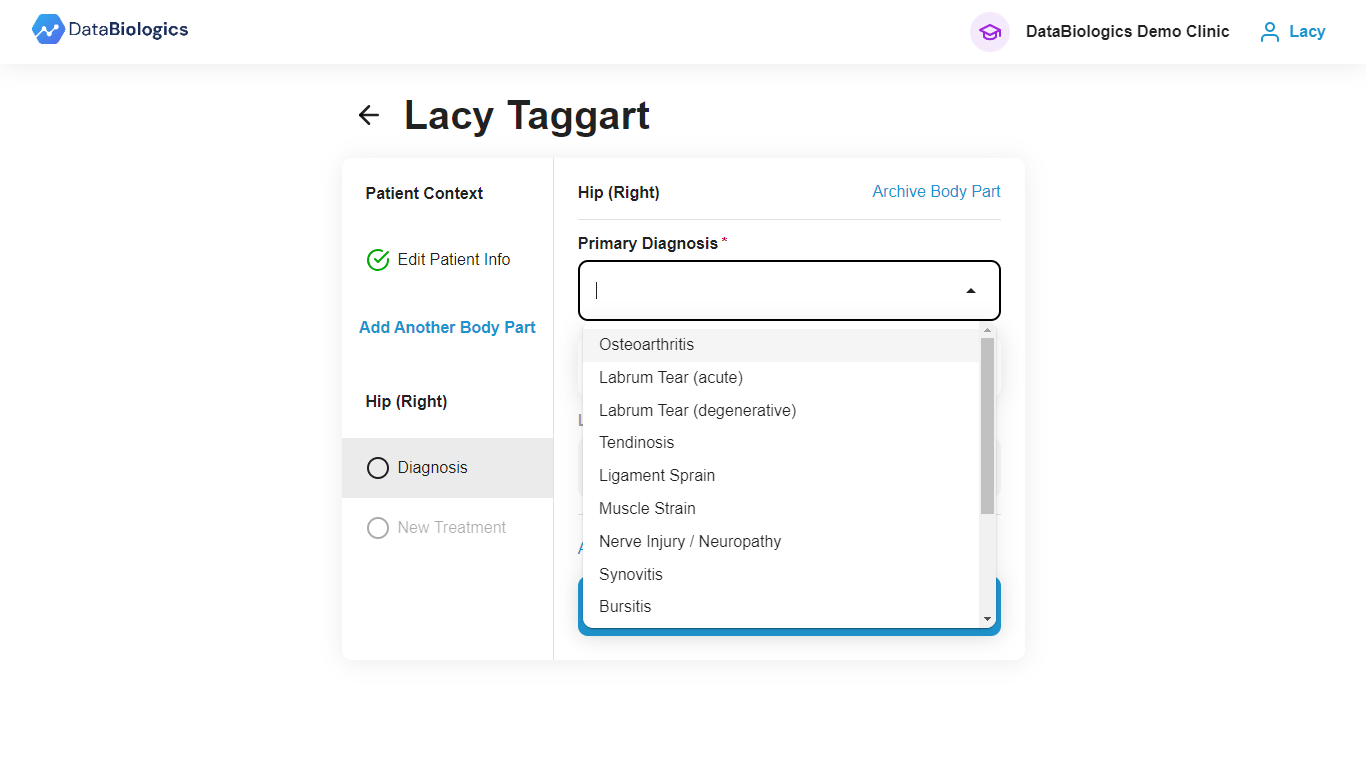**
1. After selecting “Hip (Left/Right)” as the body part in the patient enrollment section, you will then be prompted to fill out details about the diagnosis.
2. Select the “Primary Diagnosis” dropdown menu and select osteoarthritis.
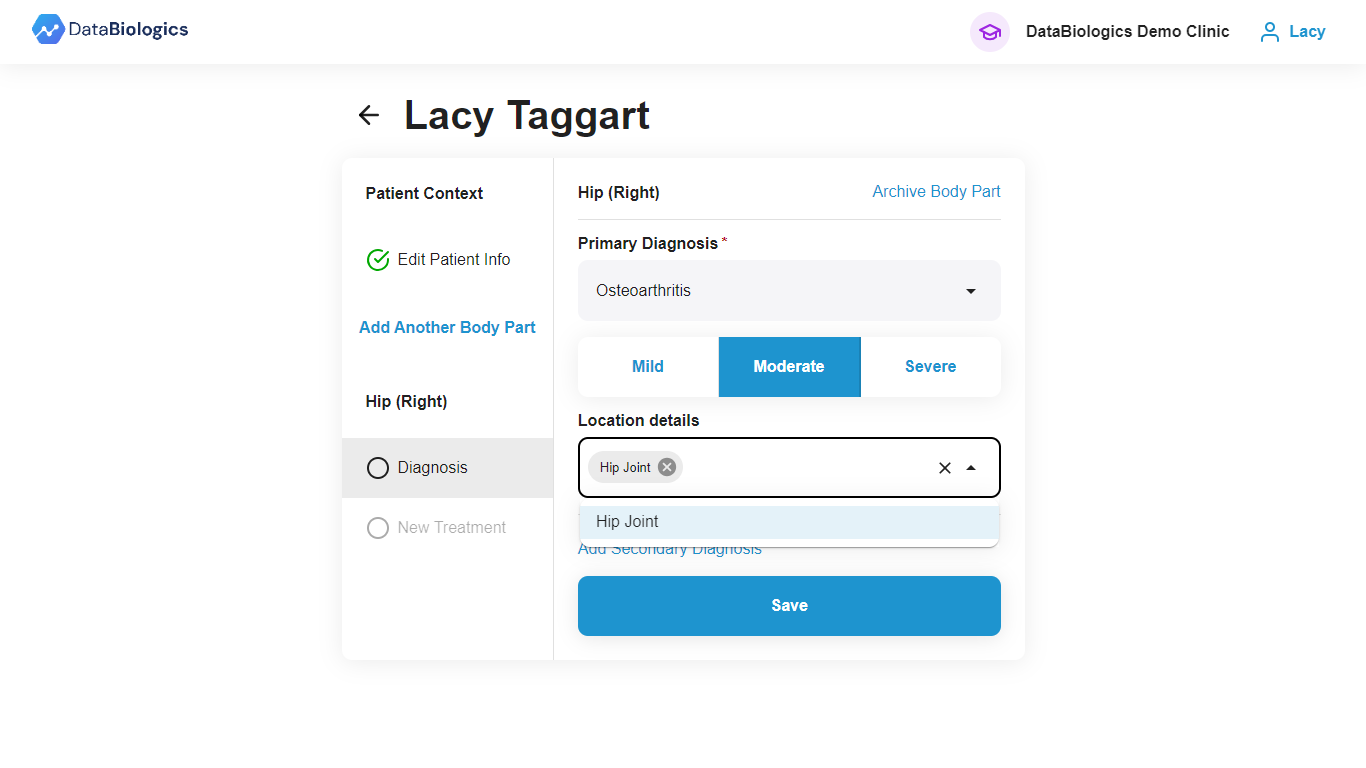
3\. Select the severity of the diagnosis (Mild, Moderate, Severe)
4\. Select the “Location Details” dropdown to select Hip Joint. (If you would like to delete the location, click the grey X)
5\. You can pick “Add Secondary Diagnosis” highlighted in blue at the bottom to add more details about the diagnosis, or if you are finished then you can click “Save”
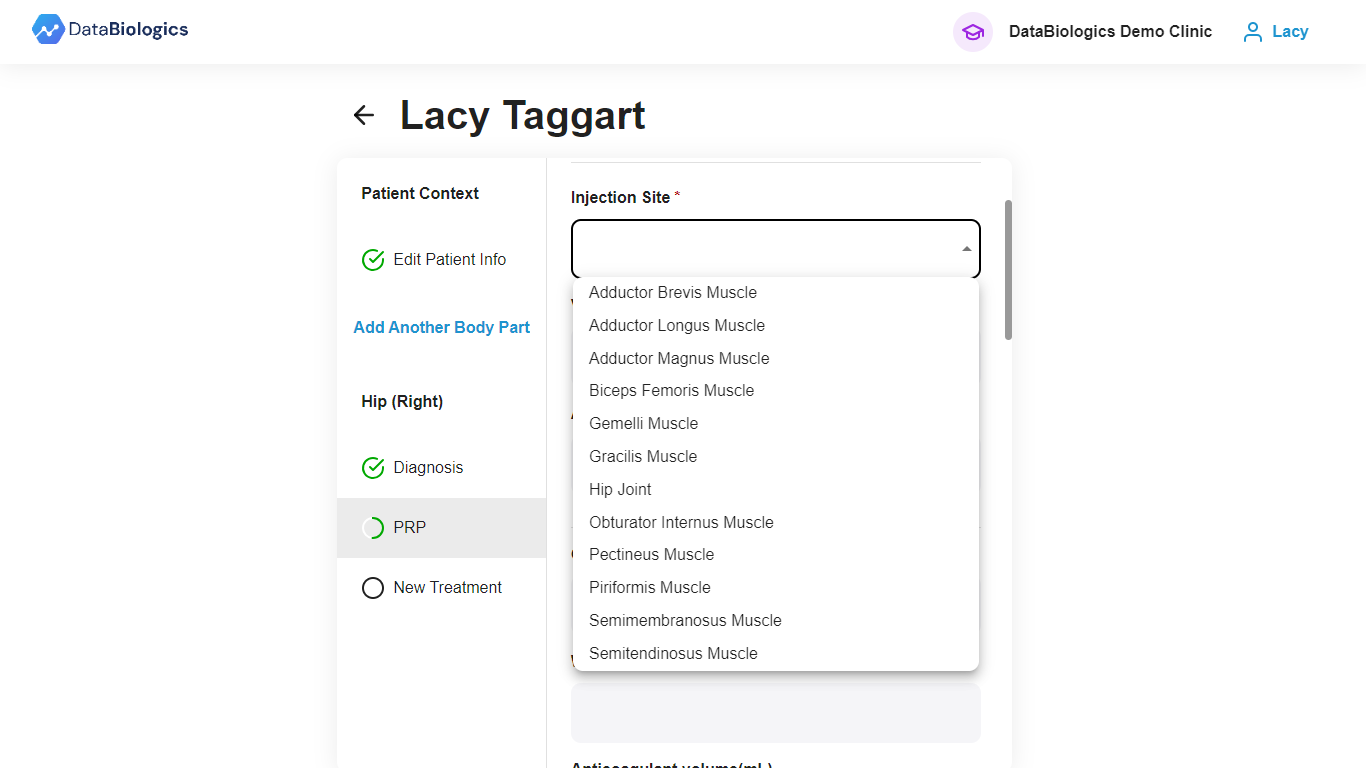
(\*NOTE: Whatever diagnosis/location details you put in this section will translate to the treatment section as well. If you are performing an injection in a joint + soft tissue, you will need to enter in diagnosis details about the joint, and add a secondary diagnosis for soft tissue in order for all options to appear in the treatment section. See Ex. below)
Pic 1. Osteoarthritis is the only diagnosis selected.

Pic 2. Osteoarthritis is selected as primary diagnosis and muscle strain is selected as a secondary diagnosis.
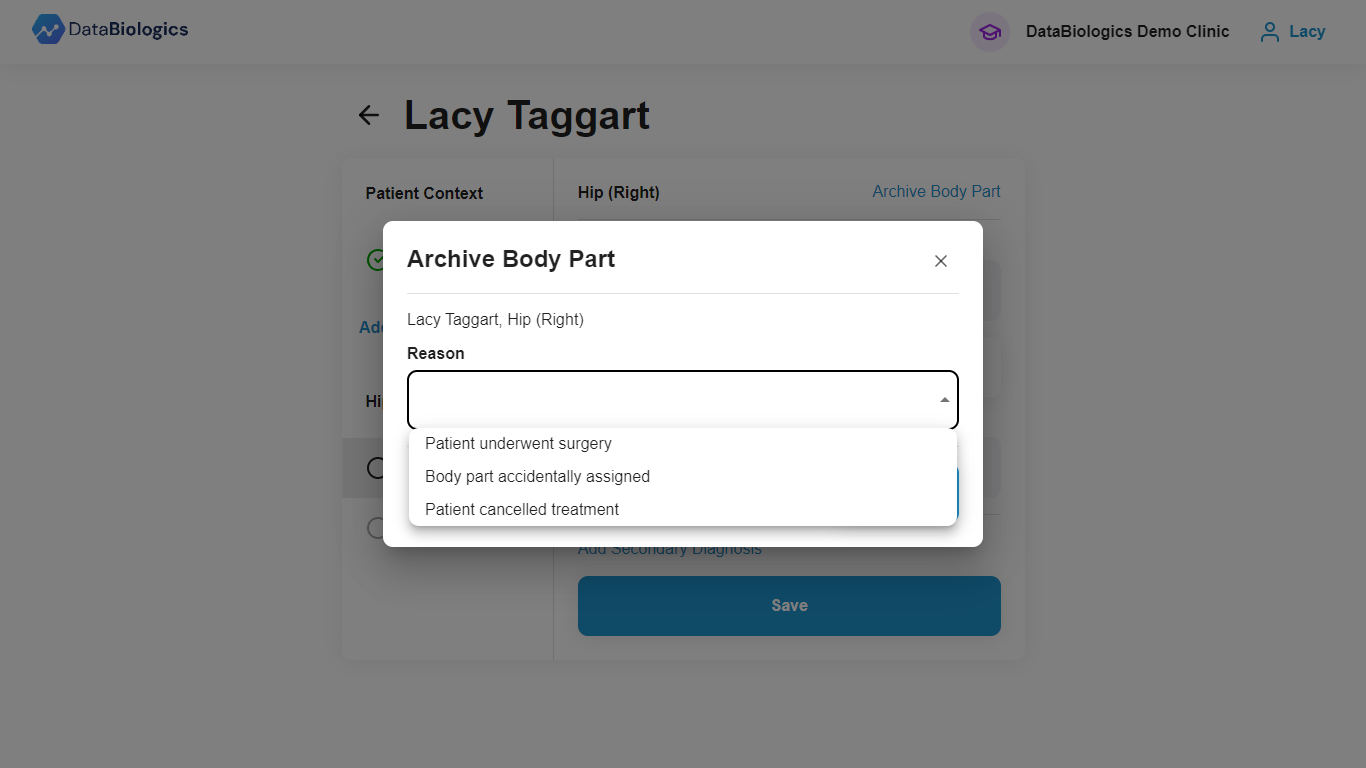
If you need to delete a body part or accidentally assigned the wrong one, select “Archive Body Part” highlighted in blue and this screen will appear and you can select a reason. Ex. Shown below.
- [Releases](https://knowledgebase.databiologics.com/releases?hsLang=en)
- [Getting Started with DataBiologics](https://knowledgebase.databiologics.com/getting-started-with-databiologics?hsLang=en)
- [Data Collection](https://knowledgebase.databiologics.com/data-collection?hsLang=en#main-content)
- [Getting Started](https://knowledgebase.databiologics.com/data-collection?hsLang=en#getting-started)
- [Entering in Diagnosis](https://knowledgebase.databiologics.com/data-collection?hsLang=en#entering-in-diagnosis)
- [Entering Treatment Details](https://knowledgebase.databiologics.com/data-collection?hsLang=en#entering-treatment-details)
- [My IMPACT Insights Navigation](https://knowledgebase.databiologics.com/my-impact-insights-navigation?hsLang=en#main-content)
- [Getting Started](https://knowledgebase.databiologics.com/my-impact-insights-navigation?hsLang=en#getting-started)
- [Patient Education](https://knowledgebase.databiologics.com/patient-education?hsLang=en#main-content)
- [Patient Survey Forms](https://knowledgebase.databiologics.com/patient-education?hsLang=en#patient-survey-forms)
- [Workflow Practices: Customer Stories](https://knowledgebase.databiologics.com/workflow-practices-customer-stories?hsLang=en)
- [Medical Education](https://knowledgebase.databiologics.com/medical-education?hsLang=en)
- [ACCESS Materials](https://knowledgebase.databiologics.com/access-materials?hsLang=en)
[](http://www.databiologics.com)
Copyright © 2026, DataBiologics
```json
{
"@context" : "https://schema.org",
"@type" : "VideoObject",
"contentUrl" : "https://23319734.fs1.hubspotusercontent-na1.net/hubfs/23319734/Knowledge%20Base%20Videos/Entering%20Diagnosis_%20Hip%20OA.mp4",
"dateModified" : "2024-07-24T15:52:20.715Z",
"duration" : "PT52S",
"height" : 678,
"name" : "Entering Diagnosis_ Hip OA",
"thumbnailUrl" : "https://23319734.fs1.hubspotusercontent-na1.net/hubfs/23319734/Knowledge%20Base%20Videos/Entering%20Diagnosis_%20Hip%20OA.mp4/medium.jpg",
"uploadDate" : "2024-07-24T15:52:20.710Z",
"width" : 1280
}
```